Merge Multiple PDFs into One File with PDF Tool Zone
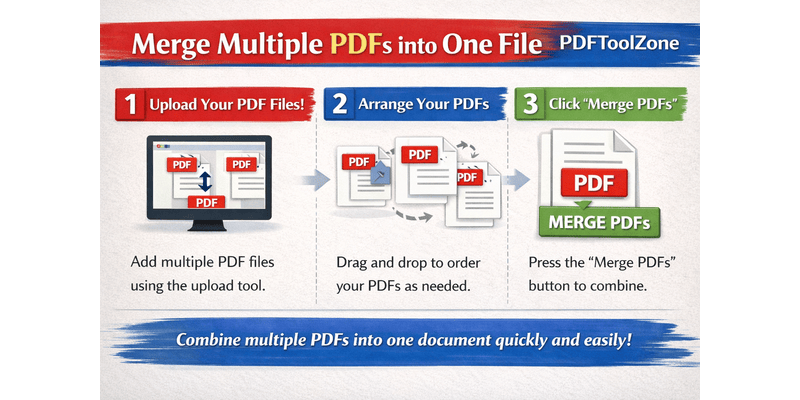
Do you have several PDF files you want to combine into one organized document? With PDF Tool Zone, merging multiple PDFs is quick, secure, and completely online — no software or sign-up required. Whether you’re combining invoices, reports, or school files, our Merge PDF tool makes it easy for anyone to get the job done in seconds.
Why Merge PDF Files?
Combining multiple PDF documents into one file saves time and keeps your documents organized. Here’s why users love this feature:
- Better organization — Keep related pages together in one file.
- Easier sharing — Send one clean file instead of multiple attachments.
- Professional look — Present reports, proposals, and forms neatly.
- More convenient — Read, print, and store everything in one document.
How to Merge PDFs on PDF Tool Zone
Merging your PDF files is simple and fast — just follow these steps:
- Go to PDF Tool Zone.
- Click on the Merge PDF tool.
- Upload the PDF files you want to combine.
- Arrange them in your preferred order.
- Click Merge to start the process.
- Download your new, combined PDF instantly.
That’s it! In a few seconds, your separate PDFs will become one seamless file ready to save, print, or share.
Why Choose PDF Tool Zone?
Here’s what makes PDF Tool Zone the best choice for merging your PDFs:
- Fast and reliable — Merge files in seconds with just a few clicks.
- Safe and private — Your documents are automatically deleted after processing.
- No installation needed — 100% online and works on any device.
- Free to use — Combine unlimited files without hidden fees.
Our goal is to make PDF editing simple for everyone — from students and freelancers to businesses and professionals.
Tips for a Smooth Merge
- Make sure your files are in the correct order before merging.
- Rename your final file for easy identification.
- Keep your PDFs under the upload size limit for faster processing.
Final Words
Merging PDFs has never been easier. With PDF Tool Zone, you can combine all your PDF files into one professional-looking document quickly and securely — no downloads, no hassle, and completely free.