Compress PDF Online - PDFToolZone
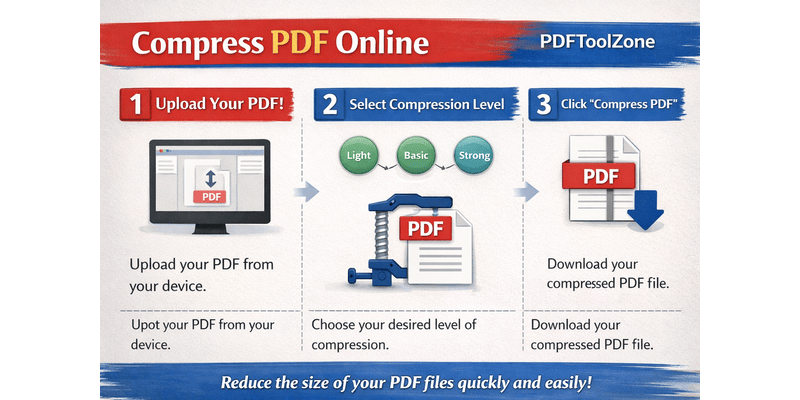
PDFToolZone makes it easy to reduce the size of your PDF files without losing quality. Whether you need to email a large document or upload a file to a website, our free online PDF compressor helps you save space and time.
What Is PDF Compression?
PDF compression is the process of reducing the file size of a PDF document by optimizing its images, removing unnecessary data, and improving structure efficiency. This helps you share and store documents more easily without affecting readability or quality.
Why Compress PDF Files?
- Faster Uploads and Downloads: Smaller files transfer quickly over the internet.
- Save Storage Space: Reduced file sizes take up less space on your computer or cloud storage.
- Easy Email Attachments: Most email providers limit attachment sizes, so compression ensures your PDF can be sent easily.
- Better Performance: Optimized PDFs open faster and are easier to handle on mobile devices.
How to Compress a PDF with PDFToolZone
- Go to the PDFToolZone homepage.
- Select the “Compress PDF” tool from the list of available tools.
- Upload your PDF file by dragging it into the upload area or selecting it from your device.
- Click on the “Compress” button to start the process.
- Download your compressed PDF file once the process is complete.
Benefits of Using PDFToolZone
- Completely free and easy to use.
- No software installation required.
- Works on all devices — desktop, tablet, or mobile.
- Secure and private — your files are automatically deleted after processing.
Conclusion
Compressing your PDF files is quick and effortless with PDFToolZone. Whether you need to reduce file size for sharing, storage, or faster performance, our online PDF compressor provides a reliable and simple solution. Visit PDFToolZone today and start compressing your PDFs instantly!